
FUTWIZ: All-in-One FIFA 23 Companion Tool
Overview
FUTWIZ is a desktop companion application designed to enhance the FIFA 23 experience for players of the EA Sports football simulation game. Developed by Webeast Ltd, the software serves as a centralized hub for managing in-game assets, tracking player performance, and optimizing squad-building strategies. It is tailored for both casual and competitive FIFA 23 players seeking real-time data and actionable insights.
The app supports Windows and Mac platforms, offering a desktop alternative to mobile companion tools. Its primary purpose is to streamline gameplay by providing access to key features such as player price tracking, in-game stat monitoring, objective management, and SBC solutions. Users can also access competitive leaderboards and compare chemistry styles across different squad configurations.
The software is free to use, making it accessible to a broad audience. While the developer did not specify additional system requirements, the application’s 125 MB size suggests lightweight operation. Real-world usage scenarios include monitoring market trends before purchasing high-value players, verifying SBC solutions before submission, and tracking progress toward in-game objectives.
The tool is particularly useful during active gameplay sessions when quick access to data is essential.
Key Features & Capabilities
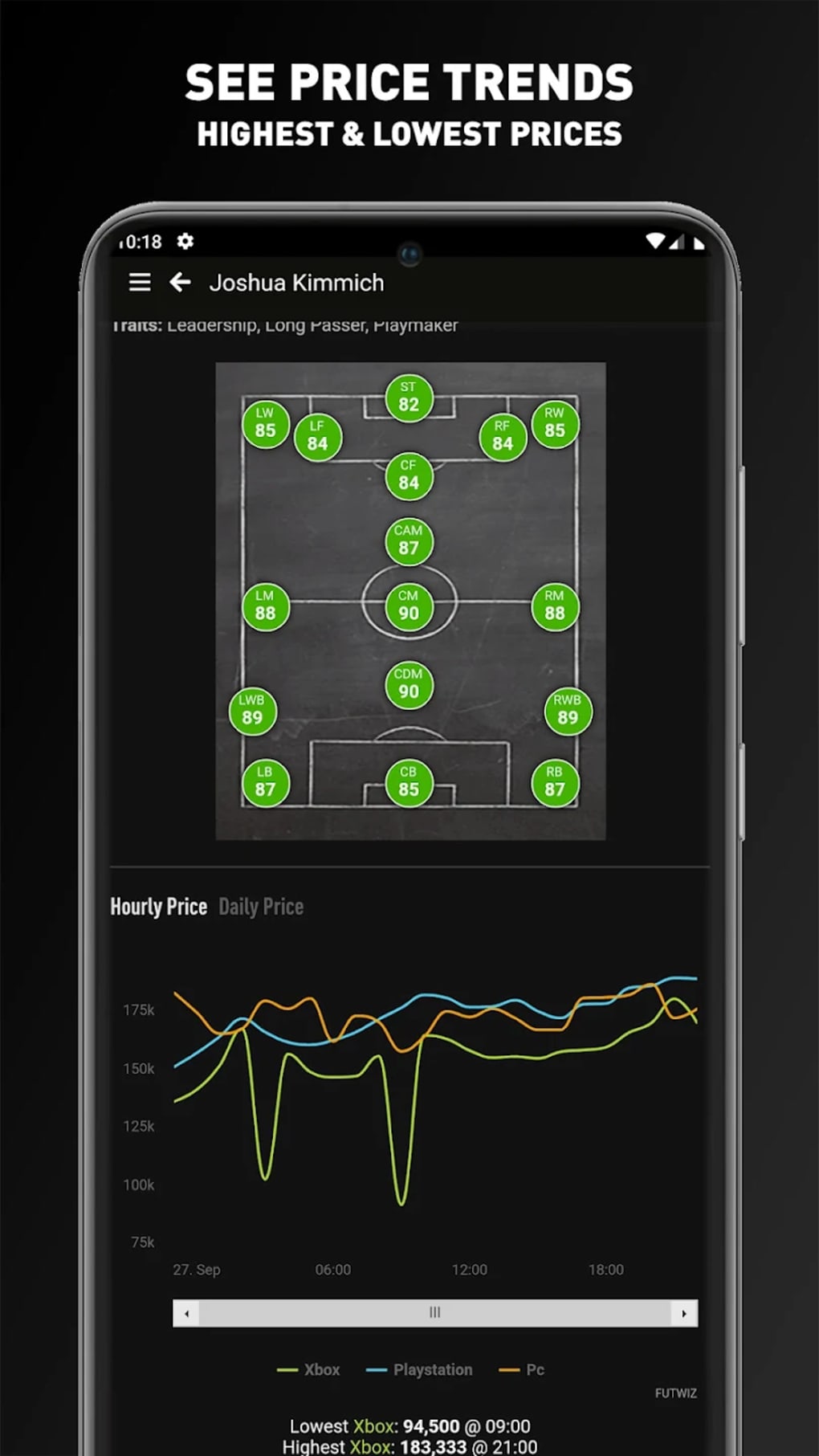
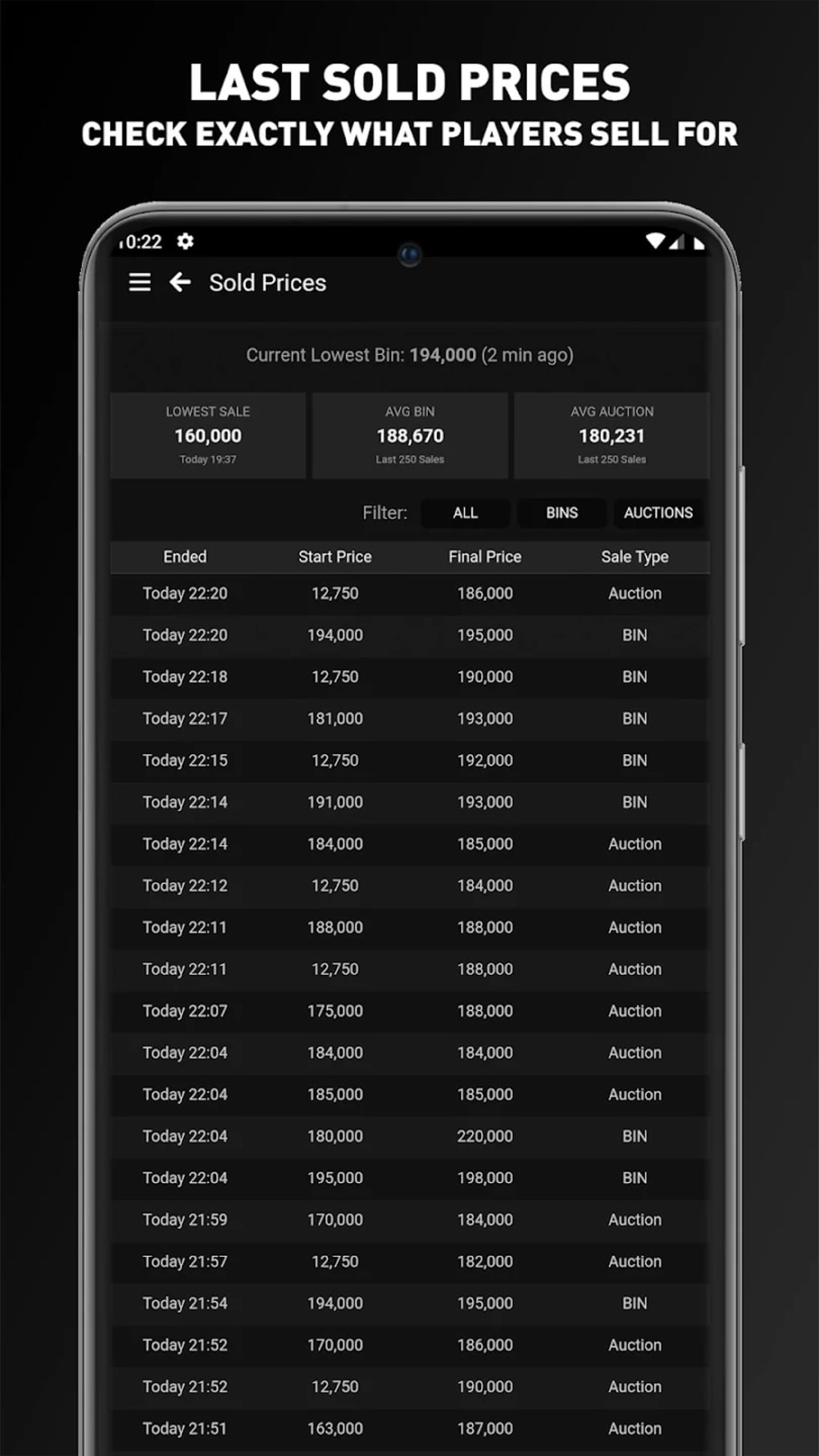
- Player Price Tracking – Monitors current, highest, and lowest player prices, including last sold values for precise market evaluation.
- Price Trend Analysis – Provides historical data to help users identify market fluctuations and make informed purchasing decisions.
- Price Alerts – Sends notifications when a player’s price reaches a user-defined threshold, enabling timely trades.
- In-Game Stat Monitoring – Tracks player performance metrics such as pace, shooting, and passing to assess real-time value.
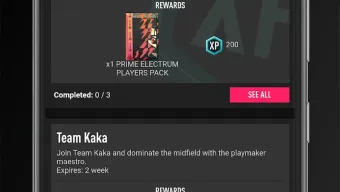
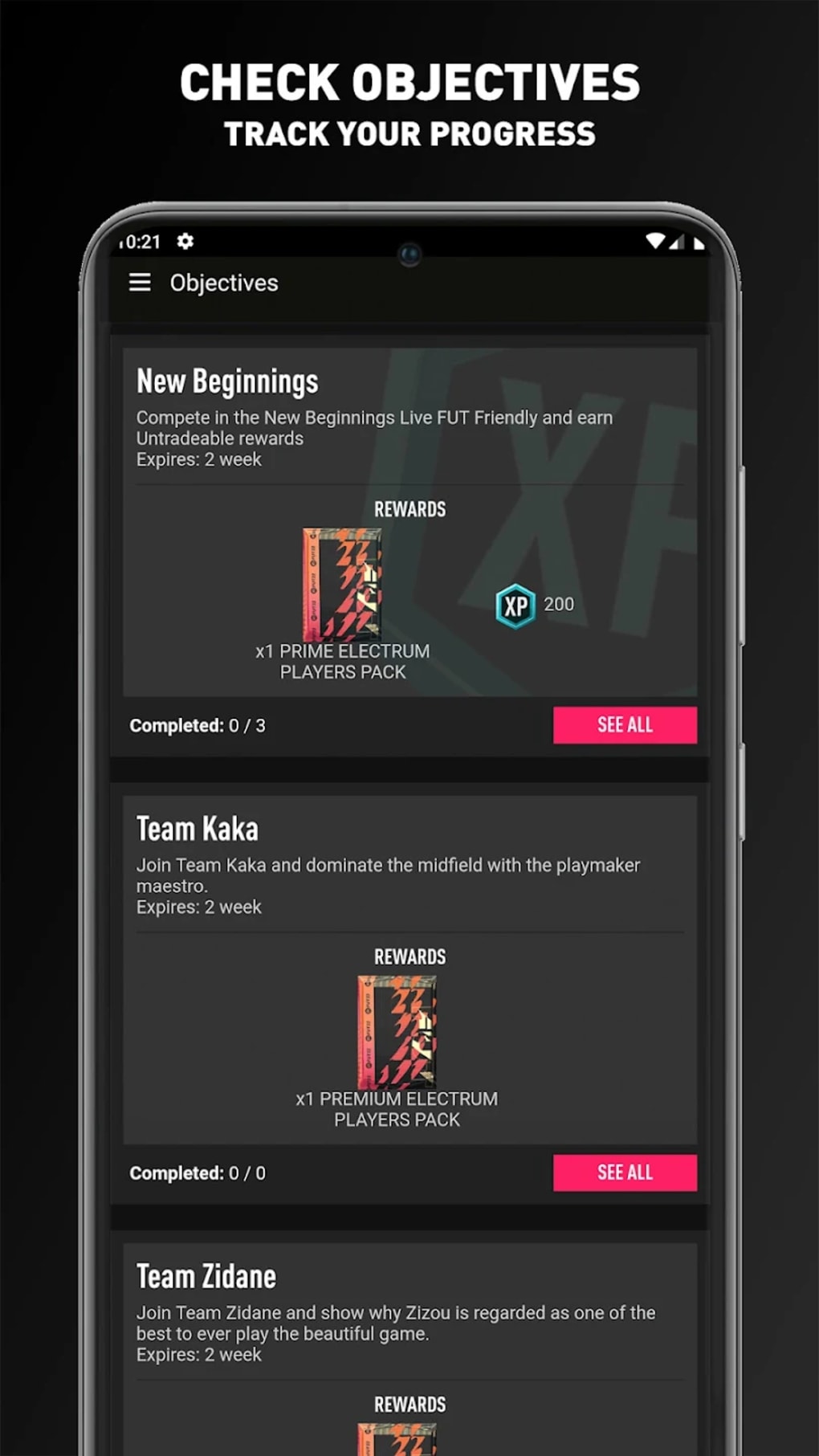
- Objective Tracking – Allows users to log and monitor progress toward in-game goals to maximize rewards.
- SBC Solutions Database – Offers verified solutions for Squad Building Challenges, reducing trial-and-error attempts.
- Chemistry Style Comparison – Enables side-by-side analysis of different chemistry configurations for optimal squad efficiency.
- Squad Cost Estimation – Calculates the total value of a user’s squad, aiding in budget management.
- Competitive Leaderboard Access – Displays rankings and performance data for competitive mode players.
These features are designed to reduce decision fatigue and improve strategic planning. For example, a player preparing for a major FUT 23 event can use the price trend tool to time their purchases, while a competitive user can review leaderboards to benchmark their performance. The SBC solution database eliminates guesswork during challenge completion, and the objective tracker ensures no reward opportunities are missed. The chemistry comparison tool supports smarter squad construction, especially when balancing player roles and team chemistry.
User Interface, Workflow & Performance
The user interface of FUTWIZ is described as clean and organized, with a layout that prioritizes accessibility to core functions. Navigation is structured around a central dashboard that displays key metrics such as player prices, active objectives, and leaderboard rankings. Users can switch between modules with minimal clicks, which supports efficient workflow during gameplay.
The interface includes filtering and sorting tools to refine search results, enhancing usability when managing large player inventories. However, the experience is significantly impacted by the high volume of advertisements integrated into the application. These ads appear frequently, often interrupting user actions such as selecting a player or reviewing squad data.
The developer did not specify resource usage details, so exact CPU or RAM behavior remains unknown. Performance observations are based on general software behavior patterns. Stability during extended use is not confirmed, and no information was provided about crash frequency or update reliability.
The ad-heavy design raises concerns about user experience consistency, especially during time-sensitive in-game moments.
Compatibility & System Requirements
FUTWIZ is available for both Windows and Mac operating systems, supporting users across major desktop platforms. The software version is 2.0.0, released on September 28, 2023. The installation size is 125 MB, indicating a compact footprint that should not strain system storage.
The developer did not specify additional system requirements, such as minimum RAM, processor speed, or disk space. Exact system requirements were not listed, and compatibility information was partially provided. Users are advised to ensure their system meets standard desktop application requirements for smooth operation.
No known conflicts with other software were mentioned. The application does not require a constant internet connection, but online features such as price updates and leaderboard access depend on connectivity.
Pros and Cons
Pros
- Comprehensive feature set covering price tracking, SBC solutions, and objective management.
- Real-time access to player prices and historical trends for informed trading.
- Free to use, making it accessible to a wide audience.
- Supports both Windows and Mac platforms.
- Provides verified SBC solutions and squad cost estimation tools.
Cons
- Excessive advertisements disrupt workflow and degrade user experience.
- Frequent ad interruptions occur during critical actions like player selection.
- Limited system requirement details make compatibility assessment difficult.
- Performance under heavy use or long sessions was not verified.
- Lacks official integration with EA Sports’ ecosystem.
FAQ Section
Is FUTWIZ compatible with Windows and Mac?
Yes, FUTWIZ is available for both Windows and Mac operating systems.
Is the software free to use?
Yes, FUTWIZ is offered at no cost to users.
Does FUTWIZ require an internet connection?
While the application can be launched offline, features such as price updates, leaderboard access, and SBC solutions require an active internet connection.
How often does FUTWIZ update its data?
Update frequency is not specified. Data is refreshed based on real-time synchronization with the game’s backend, but exact intervals were not provided.
Can I use FUTWIZ without a FIFA 23 account?
Yes, the software does not require a FIFA 23 account to access its core features. However, full functionality may depend on game data availability.
Final Thoughts + CTA
FUTWIZ delivers a powerful set of tools designed to elevate the FIFA 23 experience, offering real-time price tracking, SBC solutions, and objective management. Its clean interface and cross-platform support are strong assets. However, the overwhelming number of advertisements severely undermines usability, turning what could be a seamless companion into a frustrating experience.
Frequent interruptions during gameplay can disrupt strategy and timing. For players seeking a reliable, ad-free alternative, official or third-party tools with better user experience may be preferable. Despite its robust feature set, the ad-heavy model limits its practical value.
If you're determined to use FUTWIZ, ensure you're prepared for constant interruptions. For a more enjoyable and efficient experience, consider exploring other options. Download FUTWIZ now.







